


PFM888-AC

Wireless Access Controller
> Support up to 2048 access points and 65535 clients
> Support CAPWAP protocol
> Multi-level deivice management
> Support deployment in L2 or L3 network
> Auto-detect or detect by static IP
> Real-time monitoring of access points and clients
Technical Specification
Model
DH-PFM888-AC
Hardware
· CPU: Intel Celeron J1900 Quad-Core Processer 2.4GHz
· Memory: DDR3 8GB
· Memory of CF card: 4GB
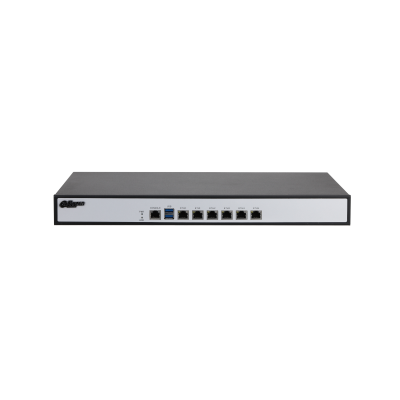
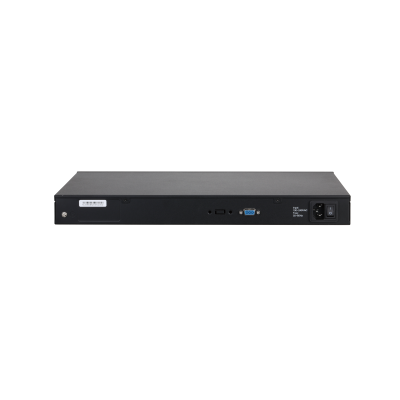
· Internfaces: 10/100/1000M Base-TX *6 USB *2 Console *1
· Dimension: 430 ×300 ×44.5(mm )(1U )
· Power: AC 220V (75W)
· Working Temperature: 0°C~50°C
· Weight: 3.37kg
Performance
· Support up to 2048 access points
· Support up to 65535 clients
· Support up to 1024 templates
Access Control
· Portal, Radius
· It's allowed only one user to log into the web management interface at the same time. If a new user logs into the web management interface,then the logged-in user will be logged out.
Statistics
· Platform: Device name, Firmware Version, IP address, CPU Usage, Memory Usage, Run Time, System Time
· Device (Access Points): Total Units, Online Units, Offline Units
· Terminal: Total Units, Online Units, Offline Units
· Alarm
Device/Terminal Management
· Device:
Status: Online, Offline, Unmanaged, Upgrading, Configurating, Failed to upgrade, Failed to configure, etc
Device Name, Model, IP Address, MAC address, Firmware Version, Run Time, Template,Location, etc
Wireless: Channel, Channel Width, Output Power, Maximum Transmission Rate, SSID, Encryption Method, TDMA
Device/Terminal Management
· Terminal
CPE:
Display online CPE, including following information:
Status, Device Name, Model, IP Address, MAC Address, Location, Signal Strength, Transmission Rate, Firmware Version, Run Time
Clients:
Display online clinets which connects to AP, including:
Clients Type(IOS, Android, PC), IP Address, MAC Address, Location, Signal Strength, Run Time
· Support delete the offline device list
· Support sort by Online, Offline, IP, MAC, Group Name, Firmware Version, Run Time
· Clients Retrieve
Template Management
· Display current templates which have been saved
· Template classification by device type
· New or edit template, including following:
Region, Channel, Channel Width, Output Power Setting, Multi-VAP, SSID, Hidden SSID Broadcast, Client Isolation, TDMA, Max User Limitation, Authentication/Encryption Method, Auto-matchImage Management
· Display Image Name, Version, File Size, Update Time
· Support upload and storage image to device
· Support Auto-upgrade
· Support Batch-upgrade
Configuration
· Support save configuration to local PC
· Support import configuration
Log Management
Log Classification, log export, log upload, log search
Network and Security
· Management Protocol: CAPWAP
· Discovery Method: DHCP (Option43), Static IP, Broadcast
· VLAN
· DoS Protection
Upgrade
· Support upgrade via web
· Service Interruption time via upgrade ≤ 7 minutes